
🤳✨
THE VIDEO GEAR GUIDE
Build your tech closet with tools that make you shine on camera
This page contains affiliate links. If you make a purchase, I may earn a commission at no extra cost to you.
Audio 🎙️
-

Lavalier Mic
Capture clear audio while filming on your phone with this clip-on microphone. Really easy to use, and improves the sound quality VERY well compared to your phone’s audio.
-

Blue Yeti Mic
Record high-quality sound on your desktop using this USB microphone. This was the first desktop microphone I used, so I always recommend to beginners!
Want prompts to actually start talking on camera?
Grab your 1-Month Recording Plan!
Want prompts to actually start talking on camera? Grab your 1-Month Recording Plan!
Phone Stands & Tripods 🤳
-

Phone Stand
Keep your phone steady with this simple phone stand for talking videos while sitting down. I use this one a lot!
-

Standard Tripod
Simple tripod for hands-free video recording anywhere you film.
-

Magnetic Tripod
Magnetic tripod for anywhere you film. I find these are easier to fiddle with if you have a Magsafe phone!
-

iPhone Mount for Macbook
If you have a Macbook, you can use this mount to turn your iPhone into a high-quality webcam!
-

Octobuddy Phone Mount
Stick your phone anywhere for talking videos!
Still cringing at getting on camera?
Warm up to your first 3 videos with the 3-Day Challenge.
Still cringing at getting on camera? Warm up to your first 3 videos with the 3-Day Challenge.
Lighting 💡
-

Ring Light
Brighten your videos, no matter the time of day when filming, with this basic adjustable ring light. Also great for your video calls!
-

Mini Ring Light
Attach this portable magnetic ring light to your MagSafe phone for perfect lighting when recording on-the-go.
-

LED Floor Light
This one is so fun! You might have seen bright colors in the background of my videos, and this is why. I sometimes keep this light on in my office, as it creates a really cool look.
Want to create easy b-roll video?
Check out my Canva Templates!
Want to create easy b-roll video? Check out my Canva Templates!
Apps 📱
-

Riverside
Record your chats with a friend or client, then use Riverside’s editing tools to create short social clips!
-

Canva
While Canva is usually meant for graphic design projects, I find it to be such a simple way to create a one-scene “text on screen” video! Upload a short video clip, add text in your brand font, and download the video. Super easy!
-

Instagram Edits
When I started editing short social videos (under 60 seconds), I got most of my practice on Instagram. If you want to practice editing text, audio, and want to post to Instagram, I’d recommend it.
Ready to step into the spotlight?
Let's work together!
Ready to step into the spotlight? Let's work together!
Extras ✨
-
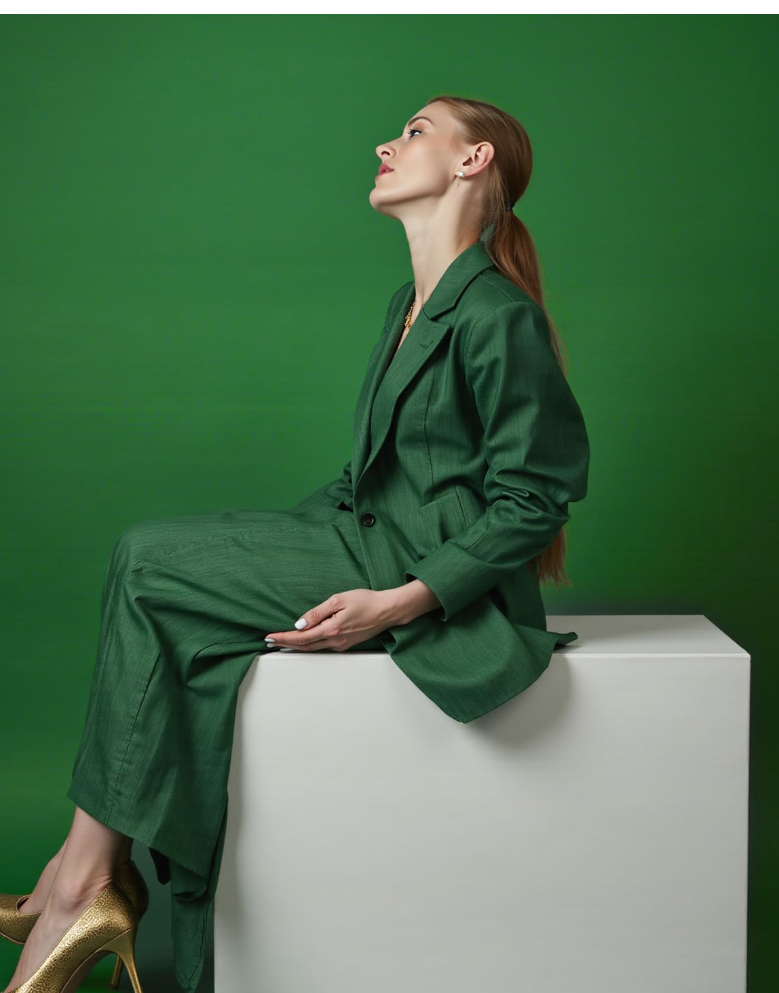
Seamless Paper Background
This background paper is fun to include your brand color in your DIY photos and videos. I have a beige one, but will be buying the orange one soon!
-
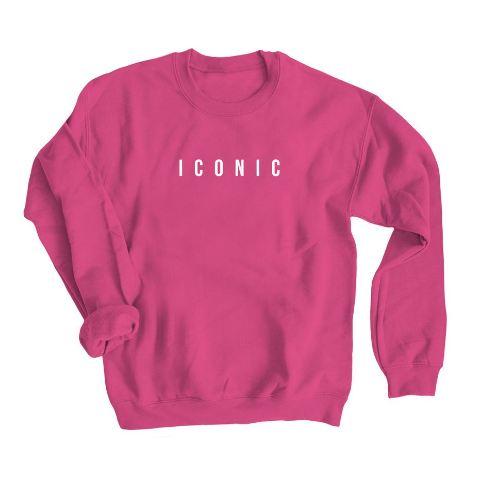
Iconic Sweatshirt
Get my Iconic sweatshirt to commemorate getting on video! We love swag around here, and I’m really excited about this one! 🧡